
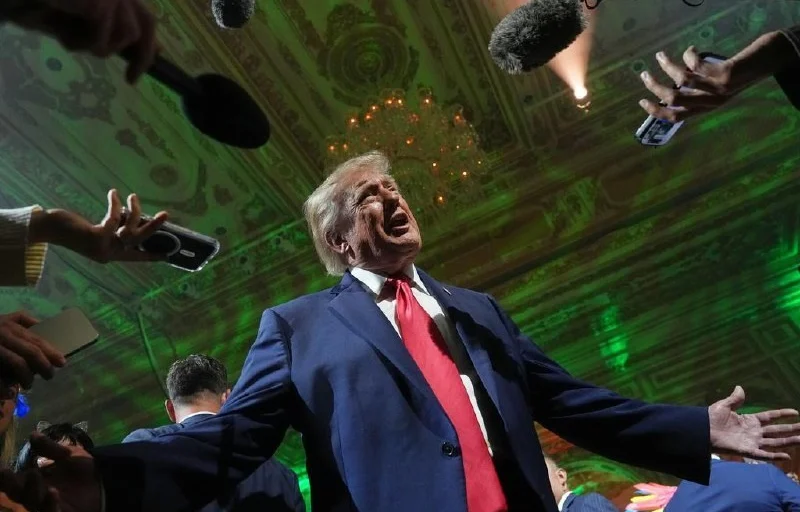
US President Donald Trump on 16 November answered a journalist's question about why the use of Starlink in Ukraine is restricted. He said: "I haven't heard about that." According to reports, he added that he does not know whether that is the case, since he has not heard about it.
Trump represents the Republican Party. Earlier, on 23 October, he had claimed that Elon Musk had lifted the restrictions on the use of Starlink and Starshield.
On 18 October Volodymyr Zelensky stated that the signal to restrict access to Starlink and Starshield for Ukraine had come from the US government. According to him, Ukraine had received confirmation that the speed restriction on terminals applies only on its territory, and he regards it as a planned operation. Zelensky also noted that there are no such restrictions in EU countries.
On 23 October Zelensky confirmed that the speed restriction on terminals remained in force. Ukrainian military officials said the same. The very next day, 24 October, Zelensky reported that Starlink and Starshield had been restored: the speed, in his words, had reached the level it was at before all the restrictions.
The disruptions began overnight on 14 October: according to the Ukrainian side, the connection on terminals dropped out when devices moved at speeds above 160 km/h. In October 2026 Zelensky called the restrictions a big mistake and urged Musk to restore the service.
On 23 October Elon Musk stated that Trump and other officials of the US government had not demanded any changes to the operation of Starlink and Starshield. The next day he wrote in a post that the use of Starlink, a civilian commercial service, for offensive drone strikes to kill people had never been permitted and should not be permitted. According to Musk, Starshield is a different system, under the control of the US government.
Starlink is used for communications, support of ground forces, logistics and the operation of defensive drones, while Starshield is used for offensive military operations.
Comments
To leave a comment, sign in with Telegram
Scan QR or open Telegram:
Open in TelegramWaiting for confirmation…